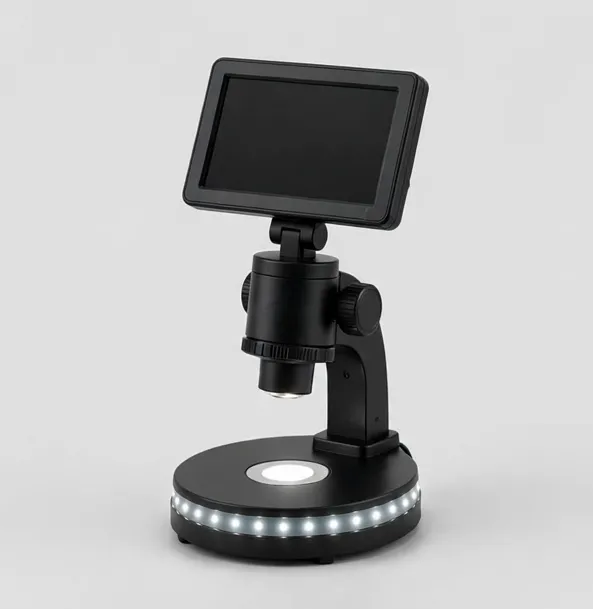
The all-round bench microscope: 7-inch screen, 1080p, LED base
MicroHub ViewPro 7" LCD Digital Microscope
7-inch IPS LCD50x–1200xWorking distance to 4 in
$79.99
Sample catalog — order confirmed by email
Most microscope regret comes from buying the specification instead of the job. This guide works the way a good salesperson would: start from what you will actually look at, rule out whole families of instruments, and only then compare numbers — including the magnification number, which deserves deep suspicion.
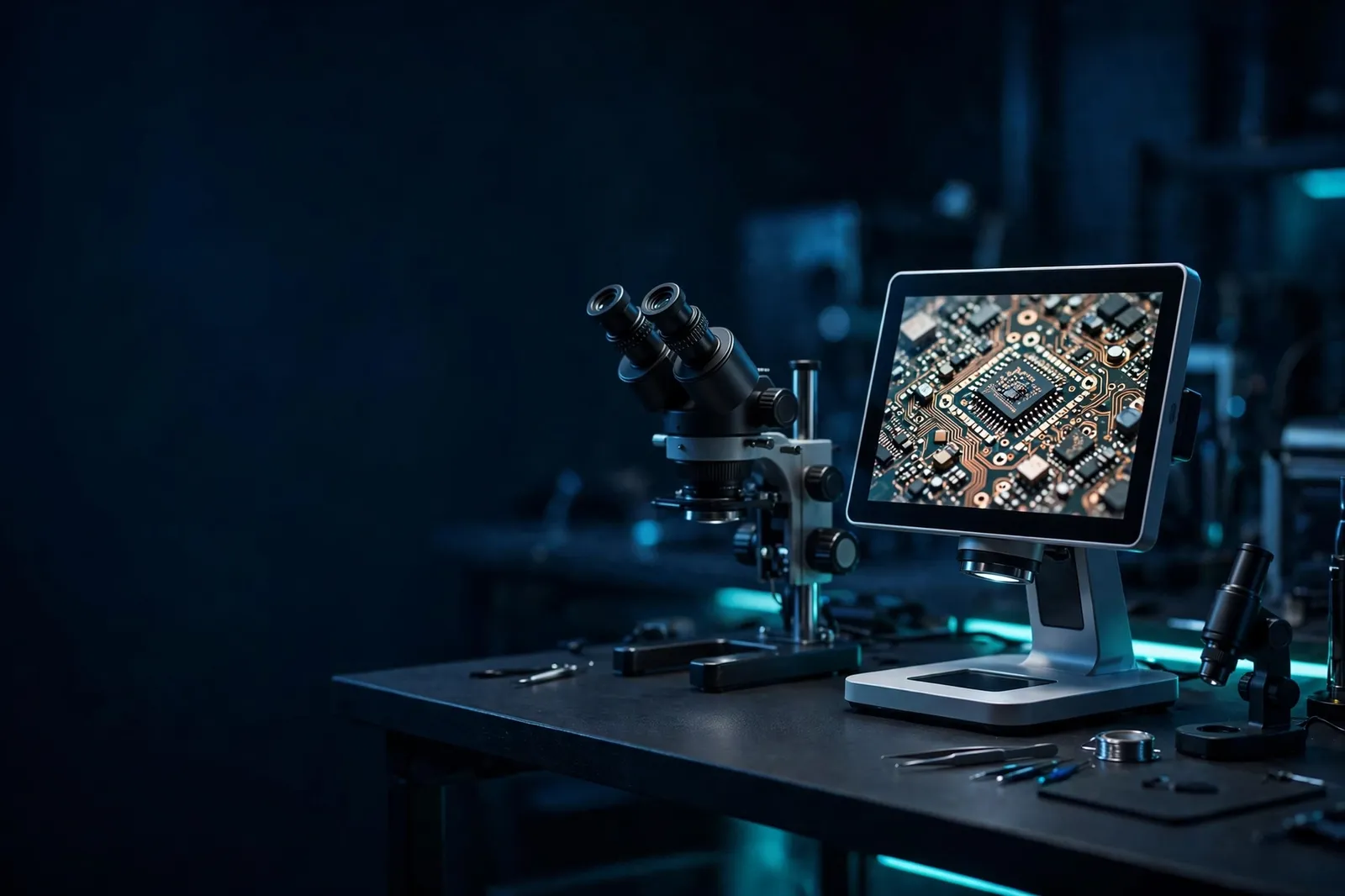
Everything follows from what goes under the lens. Coins, circuit boards, gemstones, watch parts and insects are solid and opaque; they are viewed with light from above at modest magnification, with room for your hands. Prepared slides — cells, tissues, pond life — are thin and translucent; they are viewed with light from below at high optical magnification, with no hands involved.
That single distinction splits the market cleanly. Stereo and digital screen microscopes serve the solid world. Compound microscopes serve the slide world. Dual-light student models straddle the line for learners. If your interests span both worlds, plan for one instrument per world, or a dual-light compromise — but do not expect a compound microscope to inspect a coin well, or a coin microscope to show you bacteria.
Write down your top three subjects before you look at a single product. Every later decision gets easier.
Eyepieces (optical viewing) give the sharpest, lag-free image and, in stereo form, true depth. They suit hands-on work and long-established workflows — and they show the specimen to exactly one person at a time.
Built-in LCD screens make the microscope self-contained: instant on, easy to share with one or two people, simple capture. They suit counters, classrooms and home benches, and they are the friendliest format for beginners and children.
HDMI camera systems put the image on a monitor you already own: the biggest shared view, the lowest latency for hand work, and natural documentation. They are the professional bench standard for soldering and inspection.
USB and Wi-Fi models route through a computer or phone: best for measurement software, filing captures into projects, and remote sharing. There is no wrong answer — only the answer that matches where the image needs to live.
Magnification is the most manipulated number in microscopy retail, so learn its three forms. Optical magnification is produced by lenses alone: eyepiece power times objective power on a compound microscope, or the zoom range of a stereo head. It is real, and it is the figure that decides what you can resolve.
Digital zoom enlarges the captured image electronically. It makes the picture bigger; it cannot add detail the sensor never captured. Screen-based microscopes also fold display size into the headline figure — the same lens on a bigger screen claims a bigger number.
The practical ranges are smaller than marketing implies. Coins: roughly 5x–60x on screen. Soldering and inspection: 7x–45x optical or the screen equivalent. Slides: 40x–400x for nearly everything, 1000x with oil immersion for bacteria-sized subjects. When a pocket microscope promises 1000x, it is describing enlargement of a small image — fine for identification, not for measurement. Buy the optical range and the sensor resolution; treat the rest as typography.
Working distance — lens to specimen — decides whether tools fit. Under about three inches, soldering irons, tweezers and hot-air nozzles collide with the optics. Compound microscopes need no working distance because nothing goes under the lens but a slide.
The stand is the instrument's posture. Pillar stands are compact and stable for fixed points. Boom and flex arms swing the head over large objects and park it clear — transformative on a working bench. Heavy bases and smooth bearings separate the stands that hold position from the ones that sag. If you will reposition the microscope daily, spend on the stand; it is the part you touch most.
More images are ruined by light than by lenses. Flat, dimmable, lens-centered light (a ring light or wide LED base) reveals surface detail on coins, boards and parts. Transmitted light from below is the compound microscope's equivalent for slides. Angled side light exposes scratches and hairlines that overhead light hides.
Judge every candidate by its lighting controls: brightness adjustment at minimum, direction or segmentation if you work with reflective metal. And remember the upgrade logic — lighting can be improved later with an accessory; a poor lens or a sagging stand cannot.
Documentation changes the buying list. If you photograph finds, record repairs, or file QC evidence, confirm the capture path: microSD in the instrument, USB to a computer, HDMI recording, or a camera port on a trinocular head. Each is fine; surprises are not.
Measurement is a stricter requirement. On-screen measurement requires camera software plus calibration against a stage micrometer at every magnification you use. If measurement matters, choose the system around that workflow first and the microscope second.
Spend where the work is. A collector's money goes furthest on field of view and lighting; a technician's on stand, latency and working distance; a student's on durability, prepared slides and a metal frame; a lab's on objectives, condenser and a camera port.
Beware the two classic wastes: paying for headline magnification you will never use, and buying a toy-grade instrument that has to be replaced within the year. A modest, honestly specified microscope used weekly for a decade is the cheapest microscope there is.
The coin collector needs field of view before everything: a wide, low-power view that frames the whole coin, controllable light, and ideally a scale nearby. The shortlist is the coin category, with an LCD model as the generalist alternative. Total magnification should be the last number checked, not the first.
The repair technician needs distance and immediacy: three-plus inches of working room, an HDMI path with no lag, an arm that parks clear. Stereo earns its place when joint judgment dominates; the camera station earns its place when documentation and posture dominate.
The student and the parent buying for one need durability and day-one success: metal frame, glass optics, prepared slides in the box, and magnification that stays honest at the settings children actually use. The hobbyist naturalist needs both light paths — top light for specimens, bottom light for slides — in one instrument if possible. The small laboratory needs objectives, condenser control and a camera port, in that order. Notice that none of these five lists begins with magnification. Yours should not either.
Before ordering, answer in writing: What are my top three subjects? Do they need top light, bottom light, or both? Where will the image live — eyepiece, built-in screen, monitor, computer? What working distance do my tools need? How will I capture images, if I need to? What is the stand's footprint against my bench? Does the listing state compatibility for my computer, if that matters?
If a product page cannot answer one of those questions, that silence is information. Stores that specify fully — derivation of magnification, outputs, mounts, box contents — are telling you the instrument was described by someone who has used one. Choose accordingly, and keep your written answers: they become the acceptance test when the box arrives.
Unbox onto a clean bench and verify the box contents against the product page list. Work through the magnification range on a familiar subject — a coin you know well, a board you have repaired before, a prepared slide — and calibrate your expectations against the guide figures: coin work low, board work modest, slide work high.
Set up the capture path on day one, even if it is only a folder and a naming habit; documentation systems built later never quite happen. If the instrument supports measurement, calibrate it while the stage micrometer is still on the bench. And register the practical details somewhere durable: the stand's mount size, the ring light's thread, the cable types. Future accessories will ask for exactly those numbers.
Gift purchases follow the same logic with one twist: choose for the recipient's demonstrated interest, not their potential one. The collector father gets the coin microscope, not the laboratory instrument he might grow into; the curious nine-year-old gets the kit with slides in the box, not the advanced model that needs a term of setup. A microscope that matches an existing passion is used the week it arrives.
Include the supporting cast in the gift: prepared slides with a compound microscope, a ring light with an inspection model, a case with a portable. The accessory removes the recipient's first frustration before it happens — which is, in the end, what this entire guide has been about: the right instrument is the one whose first month is all looking and no fighting.
Before buying new, some buyers borrow: a club's shared microscope, a school's spare, a colleague's bench for an afternoon. An hour with the wrong type teaches more than a week of reviews, and microscope clubs and makerspaces increasingly keep decent instruments for exactly this purpose. If your subject list is still forming, borrow first and let the experience write the requirements.
Second-hand is the other alternative, strongest for optical instruments — stereo and compound heads are mechanical, repairable and long-lived — and weakest for electronics-heavy digital models whose screens and sensors age invisibly. Inspect used optics for haze, fungus and focus slip; price in a professional cleaning; and prefer sellers who state faults. A clean used stereo head on a solid stand can out-value a new budget instrument — provided you verified it with your own eyes, at a bench, on your own specimens.
Decide by subject. Slides and science: a compound microscope or a dual-light student model. Coins, crafts and objects: an LCD digital microscope. Both interests: a dual-light student model or a portable LCD.
No. Excess magnification without resolution is empty enlargement — bigger and blurrier. Match the optical range to the subject: most real microscopy happens below 400x, and most bench inspection below 60x.
For hand work, working distance. For slides, objective quality and the condenser. For screens, sensor resolution and lighting. Magnification headlines rank below all of them.
If documentation is core to the task (teaching, QC, listings), buy the integrated or trinocular solution. If you are unsure, an optical microscope with a standard mount lets you add a camera when the need is proven.
Honest instruments start around the prices in this store: under $100 for capable portables and starter compounds, $120–$300 for serious bench models, more for trinocular and 4K inspection systems. Budget a little for slides, lighting or cleaning alongside.
The all-round bench microscope: 7-inch screen, 1080p, LED base
$79.99
Sample catalog — order confirmed by email
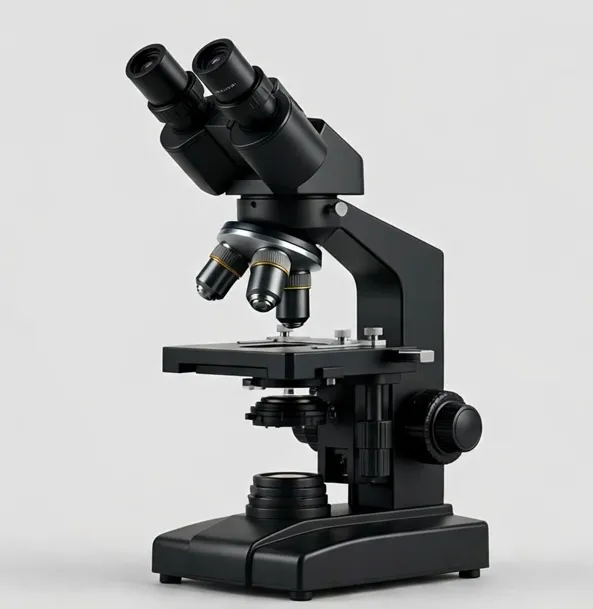
Binocular comfort for longer lab sessions, with a double-layer mechanical stage
$339.99
Sample catalog — order confirmed by email
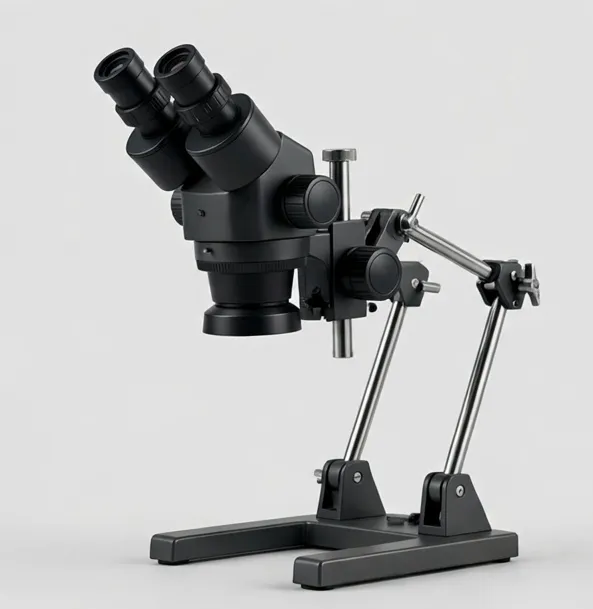
True stereo depth for inspection and repair — continuous 7x–45x zoom on a boom arm
$649.99
Sample catalog — order confirmed by email
Related categories: Digital Microscopes · Compound Microscopes · Stereo Microscopes